
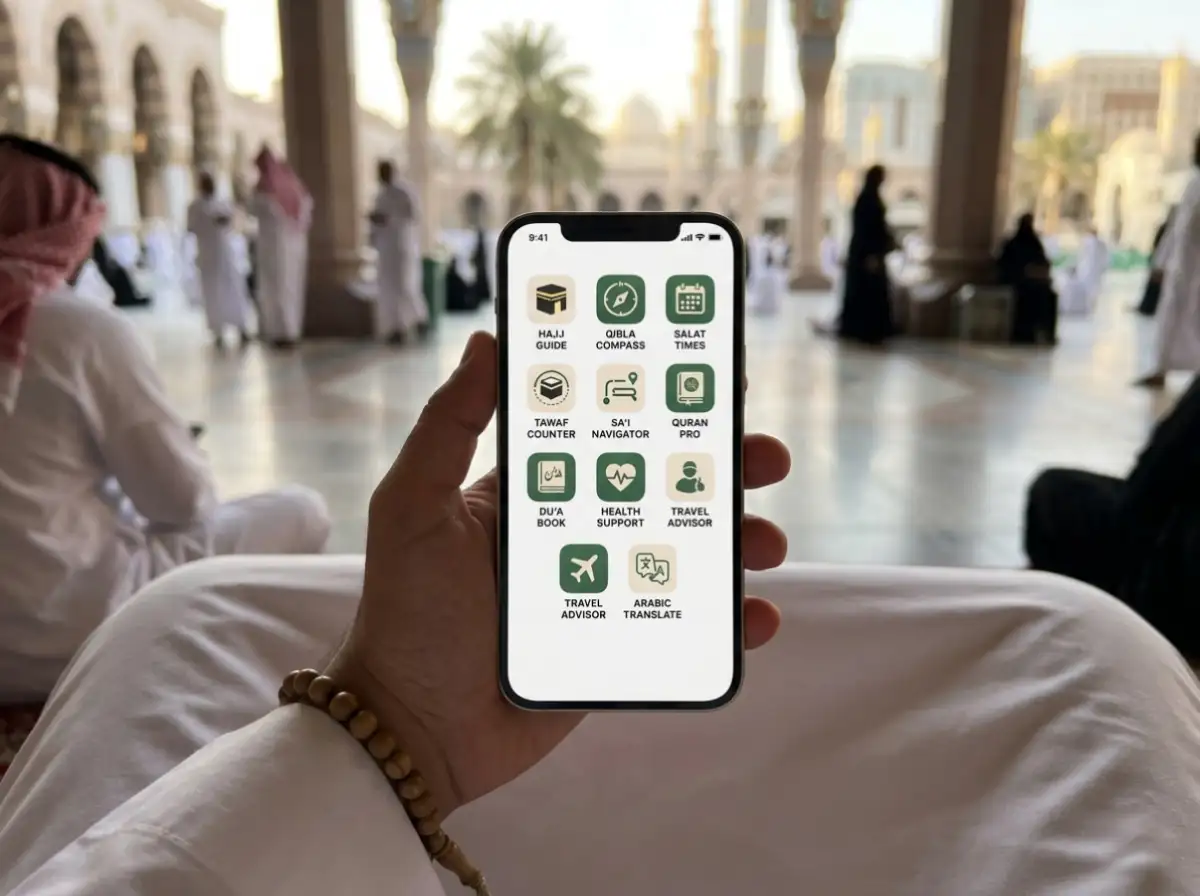

The 10 must-have Hajj apps for UK pilgrims in 2027 are: Nusuk, Tawakkalna, Muslim Pro, IMO, Google Maps, Careem, Uber, Google Translate, the Haramain High-Speed Railway app, and Salaam. Set them up at home, test them with a working UK connection, and do not leave account creation until you are standing in a Saudi airport queue.
Nusuk: Download this one before anything else
Nusuk is the official platform run by the Saudi Ministry of Hajj and Umrah, and it controls your entire pilgrimage digitally in 2027. Your Nusuk ID Card is now required at entry points into Makkah and Masjid al-Haram, and that card is stored inside the app itself.
On top of entry, Nusuk manages your Hajj permit, your Rawdah visit slot in Madinah, and your identity verification at checkpoints throughout the holy sites. If you booked through a UK Hajj tour operator, your permit should already be linked to your account. Log in now and confirm it is showing correctly.
Real scenario: A pilgrim from London arrives at a checkpoint on the road into Makkah. The officer asks for the Nusuk ID. The pilgrim has the app but never loaded the card. There is a queue of 40 people behind. That three-minute scramble is entirely avoidable.
Save a screenshot of your Nusuk ID Card to your camera roll the moment it appears. If your battery dies or signal drops, you still have visible proof on your phone.
Tawakkalna: Your digital identity across Saudi Arabia
Tawakkalna works alongside Nusuk, not instead of it. Saudi authorities use it at checkpoints and venue entry points to verify your visa, health status, and personal ID all from one screen on your phone.
You need both apps active and working. One without the other creates delays at exactly the moments when you do not want them, during the busiest days of Hajj when patience and energy are already stretched. Set up Tawakkalna in the UK, link your visa details, and check that your information loads within three seconds. Slow loading at a checkpoint is almost as bad as not having it at all.
Muslim Pro: Always know when to pray
Your location changes constantly across Hajj. One afternoon you are in Mina, the next morning you are at Arafat, and the evening after that you are collecting pebbles in Muzdalifah. Muslim Pro pulls your exact GPS coordinates and gives you accurate prayer times for wherever you are standing at that moment, not wherever you were when you last opened the app.
The Qibla compass earns its place too. Large hotel rooms in Makkah often have no obvious visual clue about direction, and pointing your phone at the ceiling gives you an instant answer. But here is the detail most people overlook: mobile data around the Haram drops significantly during peak prayer times because millions of people are on the same network. Switch Muslim Pro to offline mode before you leave the UK so it works regardless of signal strength.
IMO: The app that keeps you connected to home
Most UK pilgrims assume WhatsApp will work fine in Saudi Arabia. It will not, at least not for calls. WhatsApp voice and video calls are restricted on Saudi mobile networks without a VPN workaround, and sorting that out mid-Hajj is stressful.
IMO is built specifically for low-bandwidth and restricted networks. It uses less data than WhatsApp while maintaining clear voice and video quality, and it works on the kind of congested hotel Wi-Fi you will find around the Haram. With over 200 million users across 170 countries, it is already the go-to calling app for pilgrims from the UK, Pakistan, Bangladesh, and across the Muslim world.
Moving along, there is something else worth knowing. IMO now has a built-in Hajj and Umrah Guide with step-by-step ritual instructions, a Hajj map, and location sharing so your family knows where you are during the five core days. You get a communication tool and a spiritual reference in one place.
Practical tip: Create your IMO account at home in the UK and make a test call to a family member before you fly. Discovering a login problem at 2am in Muzdalifah is not how you want to spend that night.
Google Maps: Find your gate, not just the Mosque
Masjid al-Haram has 95 gates. Your hotel sits in a dense grid of streets where every building looks similar at 3am after Tahajjud. Without Google Maps, navigating on foot during peak hours around the Haram becomes genuinely disorienting, even for pilgrims who have done Umrah before.
Search for the specific gate closest to your hotel rather than just typing “Masjid al-Haram.” Searching “King Fahad Gate Makkah” drops a pin at the right entrance and gives you walking distance and estimated time. On top of that, download the offline maps for both Makkah and Madinah before you leave the UK. Open Google Maps, search the city, tap the download option, and save it to your phone. You will not regret it on a day when signal is weak and you are late for Asr.
Careem: The ride app Saudi Arabia actually runs on
Careem is the dominant ride-hailing app across the Middle East, and Makkah and Madinah are no different. It offers fixed fares shown upfront in the app, so you pay what the screen says and not what a street driver decides when he sees a group of foreign pilgrims with heavy bags.
For UK families travelling with elderly parents or anyone with mobility concerns, Careem removes the stress of flagging down taxis on busy streets after late-night prayers. Add your UK Visa or Mastercard to the app before you fly so payment is automatic and you are not fumbling with Saudi Riyals at the kerbside.
Tip: Set your pickup location carefully. Around the Haram, drivers navigate by gate name. Type the gate name in the pickup field and your journey starts smoother.
Uber: Your backup and your bargaining power
Uber runs in Makkah, Madinah, and Jeddah. During busy periods one app shows surge pricing while the other does not, and having both installed takes about four seconds to compare. That alone can save you a meaningful amount across multiple journeys during a two to three week trip.
Uber also works well for group travel. If your Hajj group splits across two cars, the GPS tracking inside the app lets everyone confirm they are heading to the same destination. Use Careem as your first choice and Uber as your backup. Between the two, you will always find a fair fare and a driver nearby.
Google Translate: Read everything around you
Arabic is everywhere. Restaurant menus, pharmacy labels, bus stop signs, hotel notices, and market stalls all use Arabic script that most UK pilgrims cannot read. The camera translation feature in Google Translate solves this immediately. Point your phone at any Arabic text and the app overlays an English translation in real time, directly on your camera screen.
A Saudi volunteer working near Mina described helping a pilgrim who needed to explain a medical condition to a pharmacist. The pilgrim used Google Translate’s camera on the medication packaging and the pharmacist’s handwritten note, and it resolved a genuinely anxious situation in under two minutes. It is not perfect Arabic, but it is good enough when it matters.
Download the Arabic offline language pack before you leave the UK. Go to Google Translate, tap “Downloaded Languages,” and add Arabic. Once it is downloaded, the camera translation works without any mobile data at all.
HHR Train App: Skip the road between Makkah and Madinah
The Haramain High-Speed Railway connects Makkah, Jeddah Airport, and Madinah in under two hours. It is air-conditioned, punctual, and far less draining than a road journey during Hajj season when traffic between the holy cities builds badly.
The HHR app lets you book your seat from your phone without queuing at a station. Trains fill quickly during Hajj, so if you know your travel dates between Makkah and Madinah, book through the app as early as possible. Leaving it until the morning you want to travel is a risk you do not need.
Salaam App: A calm guide through every ritual
For first-time pilgrims especially, the sequence of Hajj rituals across five days can feel overwhelming when you are tired, emotional, and surrounded by millions of people. The Salaam app gives you step-by-step instructions for every ritual in order, from Tawaf and Sa’i to the stoning at Jamarat and the days in Mina.
Where Muslim Pro handles your daily worship, Salaam focuses entirely on the Hajj and Umrah rituals themselves. Read through the full ritual guide at least once before you enter Ihram so nothing feels unfamiliar when you are standing in front of the Kaaba for the first time.
Before You Fly: Your app setup checklist
Work through this at home, not at the departure gate:
1- Read through the Salaam app Hajj ritual guide once before you travel
2- Create your Nusuk account and confirm your Hajj permit is linked and visible
3- Screenshot your Nusuk ID Card and save it to your camera roll
4- Install Tawakkalna and verify your visa details load within a few seconds
5- Set Muslim Pro to offline mode and confirm prayer times are showing
6- Sign into IMO and make a test call to a family member
7- Download offline maps for Makkah and Madinah in Google Maps
8- Add your UK payment card to both Careem and Uber
9- Download the Arabic offline language pack in Google Translate
10- Check HHR train availability for your Makkah to Madinah travel dates
————————
Related Articles:
- Guide to the Main Gates of Masjid Al-Haram
- Step by Step Hajj Guide for first time Pilgrims
- How to Spend the Day of Arafah
- Top 12 Must-See Places in Makkah
- Complete Ihram Guide for UK Muslims
- Common Mistakes to Avoid During Hajj
- How to Prevent Heatstroke During Umrah and Hajj
- Choosing the Right Umrah Package for 2026
- Final Umrah Closing Dates Before Hajj
- Hajj Mubarak gift ideas
- How to book a Rawdah appointment